A middle-aged man sitting alone at night reviewing bills and finances, symbolizing the financial trap of debt, status pressure, and loss of freedom after 40.

Financial Trap – For decades, men are taught a simple equation: more money equals more freedom. Work harder, earn more, buy the house, upgrade the car, secure the lifestyle. But somewhere after 40, many men wake up to a brutal realization:

They don’t feel free at all.

They feel trapped.

1. When Ownership Turns Into Captivity

Mortgages, car payments, credit cards, subscriptions, school fees, insurance—each one seems reasonable on its own. Together, they form a quiet cage.

You don’t own the house.
The house owns your schedule.

You don’t control your job.
Your job controls your nervous system.

What feels like stability is often dependency in disguise. Men believe they’re “building a life,” but in reality, they’re maintaining liabilities that demand constant sacrifice. Missing one paycheck doesn’t mean inconvenience—it means panic.

That’s not freedom. That’s pressure with better furniture.

2. Status: The Most Expensive Prison

Few men admit it, but much of modern spending isn’t about comfort—it’s about comparison.

The car that stretches your finances.
The watch that signals success.
The holidays posted online, funded by debt.

These purchases are rarely for personal fulfillment. They’re social armor—protection against being seen as “less.” And the cost isn’t just money. It’s years of additional work, stress, and obligation spent paying off things that don’t actually improve life.

Status doesn’t make you powerful.
It makes you predictable—and expensive to maintain.

3. The Debt That Matters Most: Time

Financial debt can be measured. Time debt cannot.

A man can recover money.
He cannot recover missed years.

While chasing income targets and promotions, many men quietly trade away what actually matters: health, presence, relationships. Children grow up while they’re working late. Partners feel emotionally alone. The body weakens under stress and neglect.

Banks don’t charge interest on this debt—but life does.

And there are no refunds.

4. Why “Work Harder” Is the Wrong Advice

When a man feels financially trapped, the default advice is always the same: earn more.

But earning more inside the wrong system only tightens the chain.

A man making £200,000 can be drowning under obligations.
A man making £50,000 can breathe freely.

The difference isn’t income—it’s outflow.

More money without control doesn’t buy freedom. It buys larger cages with better branding. Real leverage comes not from constant growth, but from intentional reduction.

5. What Financial Freedom Actually Looks Like

Freedom is not a number in a bank account.
It’s not early retirement fantasies.
It’s not impressing other men.

Freedom is the ability to say no.

  • No to overtime that drains your health.
  • No to purchases that don’t add real value.
  • No to lifestyles built for applause instead of peace.

A man who controls his spending controls his life.
A man who doesn’t will always feel tired—no matter how much he earns.

The Real Question

The financial trap after 40 isn’t about money.

It’s about living unconsciously inside systems designed to keep you busy, dependent, and distracted.

The strongest men don’t ask, “How can I make more?”
They ask, “What can I remove?”

Because the lighter your life becomes, the freer you are to actually live it.

How to create a website by yourself without coding – step-by-step beginner’s guide featured image

When I built my very first website, I honestly had zero coding knowledge. I wasn’t a developer, I wasn’t a designer—I was just someone curious enough to try. Like most beginners, I searched everywhere for answers, got lost in technical jargon, and almost gave up more than once. But the moment I finally saw my website live for the first time, it felt like unlocking a whole new world.

Today, having a website is no longer optional—it’s essential. Whether you’re running a small business, working as a freelancer, starting a blog, or simply wanting to showcase your portfolio, your website is your digital home. It’s the place people will find you, trust you, and connect with what you have to offer.

The best part? You don’t need to be a tech wizard. In this beginner’s guide to website creation, I’ll walk you through exactly how to create your website by yourself, step by step. Think of this less like a tutorial and more like a friend guiding you through the process—because I’ve been where you are right now. By the end, you’ll know how to plan, build, and launch a professional-looking website without writing a single line of code.

Step 1 – Choosing the Right Domain Name

Think of your domain name as your website’s street address on the internet. It’s how people will find you, remember you, and share your site with others. When I was creating my first site, I made the mistake of choosing a name that was way too long and hard to spell. Trust me you don’t want your visitors struggling to type your URL.

Here are a few lessons I learned (sometimes the hard way):

  • Keep it short and simple. One or two words are easier to recall than a long phrase.
  • Make it relevant. If your website is about baking, photography, or digital marketing, hint at it in your name.
  • Avoid tricky spellings. People should be able to type it without double-checking.
  • Use the right extension. For most people, “.com” is still the easiest to remember, but if your focus is local, extensions like “.co.uk” or “.in” also work.

To actually buy a domain name online, you can use providers like Namecheap, GoDaddy, or Google Domains. Prices are usually affordable , often less than the cost of a coffee per month. The key is to lock in a domain that matches your brand vision early, before someone else grabs it.

tip not to ignore : If possible, include a relevant keyword in your domain name (for example, “healthyrecipes.com” or “johndesigns.com”). This can give you a small boost in search rankings and also make your website’s purpose instantly clear.

Step 2 – Picking a Reliable Web Hosting Provider

After securing your domain, the next big step is finding a web hosting provider. If the domain is your address, then hosting is like the land your website is built on : it’s where all your files, images, and content actually live.

When I launched my first site, I thought any cheap hosting would do. Big mistake. Within a few weeks, my site kept crashing, loading slowly, and even went offline during peak hours. That’s when I realized how important choosing the right hosting really is.

Here are some things I wish I had known from the start:

  • Speed matters a lot. A slow website turns visitors away, and search engines don’t like it either.
  • Uptime is critical. Look for a host that promises at least 99.9% uptime-this means your site stays online almost all the time.
  • Customer support saves you. As a beginner, you’ll face issues. Having 24/7 chat or phone support is a lifesaver.
  • Scalability. Start small, but make sure your hosting can grow with you if your traffic increases.

Some of the best web hosting for beginners globally include:

  • Bluehost – beginner-friendly and officially recommended by WordPress.
  • Hostinger – very affordable with strong performance.
  • SiteGround – known for speed and excellent support.

SEO tip: Search engines care about website speed and security. A good host gives you SSL certificates (that little lock icon next to your website name) and faster loading times—both of which improve your SEO ranking.

So, don’t rush this step. Think of hosting as the foundation of your digital home. The stronger it is, the smoother your online journey will be.

Step 3 – Deciding Between WordPress, Website Builders, or Custom Code

Once you’ve got your domain and hosting, the next question is: “How am I actually going to build my website?”

When I was starting out, this was the part that felt most overwhelming. I kept asking myself – should I learn coding? Should I use WordPress? Or should I just go for a drag-and-drop website builder? Here’s what I learned through trial, error, and late-night Google searches:

Option 1: WordPress (Most Popular Choice)

  • Why people love it: WordPress is flexible, powerful, and powers over 40% of all websites on the internet.
  • My experience: I picked WordPress for my first “real” website because it let me install themes, add plugins (like contact forms, SEO tools, etc.), and scale as my site grew.
  • SEO bonus: WordPress is naturally SEO-friendly, especially if you use plugins like Yoast SEO.
  • Keyword use: WordPress website tutorial for beginners is what you should search if you want to learn step by step.

Option 2: Website Builders (Wix, Squarespace, Shopify, etc.)

  • Why they’re easy: If you don’t want to deal with technical stuff, drag-and-drop builders like Wix or Squarespace are beginner-friendly. Shopify is great if you want an online store.( like jewelary store)
  • My experience: I tried Wix once for a quick portfolio site—it looked good, but I eventually moved back to WordPress because I needed more flexibility.
  • SEO consideration: Builders are improving, but they may not offer the same deep SEO control as WordPress.
  • Keyword use: best drag-and-drop website builders or how to build a website without coding.

Option 3: Custom Coding (For the Brave Ones)

  • When it makes sense: If you’re a developer or want a highly unique project, coding from scratch is the way.
  • My advice: If you’re a beginner, skip this. Learning HTML, CSS, and JavaScript is great, but it’ll slow down your launch.
  • Keyword use: how to code a website from scratch.

Teacher’s note: If you’re a beginner, I’d suggest starting with WordPress. It gives you the perfect balance—easy enough to start, but powerful enough to grow. Builders are fine for simple projects, but if you dream of scaling, WordPress will save you headaches later.

Step 4 – Designing Your Website Like a Pro (Without Coding)

Here’s the fun part—designing your website. This is where your digital space starts to take shape and reflect your personality, brand, or business.

When I first designed my site, I got carried away. I tried 6 different fonts, 10 colors, and packed way too much text on one page. The result? It looked messy, unprofessional, and—let’s be honest—hard to read. Over time, I learned that simple, clean, and user-friendly design always wins.

Here’s how you can design like a pro without writing a single line of code:

1. Pick a Theme or Template

  • If you’re on WordPress, choose a responsive theme (like Astra, GeneratePress, or OceanWP).
  • If you’re on Wix or Squarespace, start with their built-in templates.

2. Keep Branding Consistent

  • Use two main colors (primary + accent) and two fonts max.
  • Think about your audience: a yoga website might look better with calm pastels, while a tech site pops with bold, modern tones.

3. Focus on Easy Navigation

  • Visitors should find what they need in 3 clicks or less.
  • Keep menus simple: Home, About, Services/Products, Blog, Contact.

4. Use High-Quality Images (Not Heavy Ones)

  • Crisp visuals make a big difference, but don’t upload 10MB photos—they’ll slow down your site. (compress them)
  • Tools like Canva or Unsplash are lifesavers.

5. Design for Mobile First

  • More than half of global website traffic comes from phones. If your site doesn’t look good on mobile trust me you’re losing visitors.
  • Most modern themes are mobile-responsive—just preview and tweak.

Personal lesson: Less is more. Your website should feel like a clean, welcoming home—not a crowded market. White space is your friend; it makes everything look more professional.

Step 5 – Adding Essential Pages and Content

Now that your design is taking shape, it’s time to fill your site with content. This is where most beginners either freeze or overdo it. I’ve done both. At one point, I had a homepage that scrolled endlessly with every little detail about me—and guess what? Nobody read it. People want clarity, not clutter.

From my journey, here are the must-have pages every beginner’s website needs:

1. Home Page – Your First Impression

This is your shop window. Keep it clear: Who are you, what do you do, and how can you help the visitor?
Tip: Use one strong headline, a short description, and a button that leads to the next step (like “Shop Now” or “Contact Me”).

2. About Page – Your Story

People connect with people, not just brands. Share a bit of your journey, why you started, and what makes you different. When I added a simple photo of myself and a short story, visitors spent double the time on my site.

3. Services or Products Page – What You Offer

Explain what you provide, in plain words. Break it into sections, add images, and don’t be afraid to say exactly how it benefits the visitor. Avoid jargon—talk like you’d explain it to a friend.

4. Contact Page – Make It Easy

Don’t bury your email or phone number. Use a simple contact form and, if possible, a map (if you’re location-based). I once missed out on leads because my contact info was hidden in tiny text.

5. Blog Page – Your Value Hub

This is optional, but honestly, it’s powerful. A blog lets you share tips, updates, or stories, and it’s one of the easiest ways to attract traffic from Google. For example, writing about “best beginner yoga poses” brought me more visitors than my entire homepage once.

SEO Tip: Use your keywords naturally in your page titles and headings. Instead of writing “My Work,” say “Digital Marketing Services” or “Freelance Photography Portfolio.” It helps people and search engines understand your site.


My biggest advice: Don’t try to perfect everything at once. Get the basics up first. You can always polish and expand later.

Step 6 – Making Your Website SEO-Friendly from Day One

Here’s something I learned the hard way: you can build the most beautiful website in the world, but if nobody finds it on Google, it’s like opening a shop in the desert. That’s where SEO (Search Engine Optimization) comes in.

When I launched my first site, I didn’t even think about SEO. I just put my content out there and waited. Weeks went by with barely any visitors—except my mom, who I begged to check it out. Later, once I learned a few SEO basics and applied them, traffic started rolling in.

Here are the SEO must-dos for beginners:

1. Use Keywords Naturally

  • Keywords are just the words people type into Google.
  • For example, if you’re teaching yoga online, people might search “beginner yoga classes at home.”
  • Place these phrases in your titles, subheadings, and first paragraph—but keep it natural. Don’t force it.

2. Write Clear Meta Titles & Descriptions

  • Your meta title is the headline that shows up in Google search results.
  • Your meta description is the little summary under it.
  • Example:
    • Title: Beginner’s Guide to Yoga at Home (Step-by-Step)
    • Description: Learn how to start yoga at home with simple poses, routines, and breathing techniques for beginners.

3. Make It Mobile-Friendly

  • Over 50% of web traffic is mobile. If your site doesn’t look good on a phone, Google will push you down in rankings.
  • Most modern themes are mobile-responsive—but always double-check.

4. Speed It Up

  • Slow websites = visitors leaving in seconds.
  • Compress your images (use tools like TinyPNG).
  • Choose a good hosting provider (remember Step 2?).

5. Internal Linking

  • Link your own pages to each other. For example, from your “About” page, link to your “Services.”
  • It helps visitors explore and Google understand your site better.

6. Add an SSL Certificate (HTTPS)

  • That little lock icon next to your website’s name means your site is secure.
  • Google prefers it, and visitors trust it. Most hosts now give this free.

Personal tip: Don’t stress about ranking #1 overnight. SEO is a long game. What matters is being consistent and creating useful content that actually helps people.


My biggest mistake was ignoring SEO at the start. If you focus on it from day one, you’ll save yourself months of frustration later.

Step 7 – Testing and Launching Your Website

This is the exciting part—launching your website. But before you hit that “Go Live” button, take a moment to test everything. I skipped this step once and ended up with broken links, messy mobile layouts, and even a typo in my homepage headline. Not the best first impression.

Here’s a simple pre-launch checklist I’ve learned to follow:

1. Check Mobile & Desktop Views

  • Open your site on your phone, tablet, and laptop.
  • Sometimes what looks perfect on a computer is a disaster on mobile.

2. Test All Links & Buttons

  • Click every menu item, button, and link.
  • Make sure they lead exactly where they’re supposed to.

3. Proofread Your Content

  • Typos can make your site look unprofessional.
  • I once had “Contact Us for Free Quots” (instead of “Quotes”) live for a week before someone pointed it out.

4. Install Analytics

  • Add Google Analytics or similar tools so you can track who’s visiting your site, from where, and what they’re doing.
  • It’s like getting a behind-the-scenes view of your audience.

5. Set Up Backups & Security

  • A backup plugin or hosting backup saves you if something goes wrong.
  • Security plugins (like Wordfence for WordPress) keep hackers away.

6. Do a Speed Test

  • Use free tools like GTmetrix or Google PageSpeed Insights.
  • If your site is slow, fix image sizes or upgrade hosting before launch.

Personal reminder: Launching a website is like moving into a new home—you want to make sure the doors, windows, and lights all work before inviting guests in.

Once everything checks out, hit publish. Celebrate the small win—you’ve just created your own website by yourself.

Step 8 – Maintaining and Updating Your Website

Here’s the truth nobody tells you: building a website is just the beginning. What really matters is keeping it fresh, secure, and up-to-date. I learned this lesson the hard way when I ignored updates on one of my old WordPress sites. Within a few months, it got hacked, and I lost everything. Painful, but it taught me how important maintenance is.

Here’s how you can avoid my mistakes:

1. Update Regularly

  • If you’re using WordPress or any builder, update themes and plugins as soon as new versions roll out.
  • Outdated software is one of the easiest ways hackers sneak in.

2. Back Up Your Site

  • Set up automatic backups—weekly at the very least.
  • Tools like UpdraftPlus (WordPress) or hosting backups can save your skin.

3. Refresh Content

  • Don’t let your blog posts or service pages go stale.
  • Update stats, replace outdated photos, and re-check your keywords every few months.
  • Fresh content = better Google rankings.

4. Monitor Performance

  • Keep an eye on your analytics. If traffic suddenly drops, it could be an SEO or technical issue.
  • Track which pages get the most visits—double down on what works.

5. Keep It Secure

  • Use strong passwords (not “12345” or “password”—yes, people still do this).
  • Add two-factor authentication if possible.

6. Stay Engaged

  • Reply to inquiries fast.
  • If you run a blog, answer comments. It makes your website feel alive and welcoming.

Personal tip: Treat your website like a garden. If you water it, trim it, and care for it, it will keep growing. If you ignore it, weeds take over and things break down.

Your Website Journey Starts Now

Creating your website by yourself doesn’t have to be complicated. If you follow the steps—choosing a domain, setting up hosting, picking the right platform, designing with clarity, adding essential pages, and optimizing for SEO—you’ll be surprised how quickly your digital presence takes shape.

Remember, every professional site you see today started as someone’s first attempt. It’s not about perfection on day one; it’s about starting, learning, and improving as you go.

You’ve got the roadmap—now it’s your turn. Start building your website today, and if you hit a roadblock, ask in the comments. I’ll guide you through it..

What “Thought Leadership” Really Means (and What It Doesn’t) Thought leadership isn’t about being the loudest voice. It’s about creating clarity where others feel confused. True thought leaders: Have a point of view (POV) rooted in experience, data, and ethics. Synthesize ideas from multiple sources into simple, actionable frameworks. Publish consistently enough that their name becomes associated with a niche. You don’t need a stage. You need a system. Step 1: Choose a Narrow, Valuable Niche The smaller the starting niche, the faster you become known. Use the 3-Overlaps Test: Audience: Who has a recurring pain you understand? Expertise: What have you solved repeatedly (for yourself/clients)? Demand: Are people already searching for it, asking questions, or paying for help? Examples: “Pinterest SEO for Health Coaches” “Retention Analytics for D2C Brands” “Faceless Branding for Introvert Creators” Document your niche in one sentence: I help [specific audience] achieve [specific result] with [specific method]. Step 2: Craft a Sharp Point of View (POV) Your POV differentiates you from “tips and tricks” content. POV Builder (answer in 1–2 lines each): What is the common belief in your niche that’s wrong or incomplete? What do people overlook that actually drives results? What is your repeatable method? (Give it a memorable name.) What do you refuse to do? (Values = trust.) Example POV: “Most brands shout on every platform. My Quiet Compounding Method focuses on one platform, one list, and one offer—until the signals prove expansion.” Step 3: Build a Research & Notes Engine (Introvert-Friendly) Great thought leadership is evidence-led. Create a private “idea vault.” Set up three folders (or Notion/Obsidian): Signals: statistics, case studies, user interviews, screenshots of real wins/failures. Synthesis Notes: your summaries + what it means for the audience. Frameworks: checklists, step-by-step processes, templates you refine over time. Weekly habit (45–60 min): Capture 5–10 signals → write 3 synthesis notes → refine 1 framework. This becomes endless content fuel. Step 4: Define Your Content Pillars Pick 3–4 pillars that map to the buyer journey. Mindset & Myths (break bad assumptions) Frameworks & How-Tos (your method in action) Case Studies & Proof (before/after, charts, screenshots) Tools & Templates (starter kits, checklists) This mix positions you as credible + practical, not just inspirational. Step 5: Publish Asynchronously (No Live Stage Needed) Introverts thrive with asynchronous creation. Use this cadence: Weekly Cadence (example): Mon: One long-form post (LinkedIn article or blog; 800–1200 words) Tue: 3–5 short posts pulled from the long-form (threads/carousels/pins) Thu: Case-study snippet + CTA to your email list or offer Fri: “Field notes” post (lessons from the week, 5 bullets) Monthly: one deep dive (pillar guide), one case study, one live-free resource (template/cheatsheet). Batch on one quiet day, schedule with Buffer/Tailwind. Your brand stays visible while you recharge. Step 6: Create Credibility Assets (Quiet but Powerful) Social proof can be built without being “everywhere.” Before/After Analyses: show the exact metric that changed. Annotated Screenshots: circle what matters, write a 3-line lesson. Client/Project Timelines: what you did, in what order, and why. Method Page on Your Site: name your framework, list steps, link to proofs. Reading List: what informs your thinking (signals intellectual honesty). These assets convert lurkers into subscribers and buyers. Step 7: Distribution Without the Drain You don’t need to network at scale; you need precision distribution. 1:1 Expert DMs: send a short note + a relevant resource (no ask). Curated Communities: answer questions deeply once/week (save answers as future posts). Guesting over Hosting: pitch 1 guest post or podcast a month. Provide your framework + case proof; request one link to your “Method” page. Newsletter Swaps: trade a short ad or resource with a peer list of similar size. Step 8: Measure Signal, Not Noise Ignore vanity metrics. Track signal metrics tied to trust and demand: Saves / Shares / Replies (content resonance) Qualified Replies/DMs (lead quality) Email Subscribers & Reply Rate (relationship depth) Consult Call Bookings / Trials / Sales (commercial traction) Set a 90-day scoreboard: if saves, replies, and subscribers rise, your positioning and POV are working—even if likes are modest. The Quiet Compounding Method (90-Day Plan) Days 1–7: Foundation Finalize niche + POV statement. Organize your research vault. Write your “Method” page and create a simple one-page site (About + Method + Work With Me + Newsletter). Weeks 2–6: Publish & Prove 1 pillar article/week (5 total). 2 mini case notes/week (before/after, annotated screenshots). Start a biweekly newsletter: “Field Notes” with 3 insights + 1 template. Weeks 7–12: Distribute & Deepen Pitch 4 guest posts/podcasts (aim for 2 wins). Run 4 “office-hours” emails—invite replies with a specific question. Build one flagship resource (Checklist/Template/Calculator) and gate it with email opt-in. By Day 90, you’ll have: 5 pillar articles, 10 case notes, 6 newsletters, 1 flagship resource, 2 guest placements, and a clear POV that compounds. Templates You Can Copy POV Post Template (LinkedIn/Blog): Hook: the broken belief. Insight: what most miss. Framework: 3–5 steps you use. Mini case: where it worked. CTA: “Reply with X” or “Get the checklist.” Case Note Template: Context → Constraint → Action → Outcome → Lesson → Next Step. Newsletter Structure (8–10 min write time): One theme → three bullets of proof → one practical prompt → one link to a resource. Energy Management for Introverts (Sustainability) Batching: create in one sitting when energy is high; schedule the rest. Boundaries: calendar blocks for “off-platform” thinking; one day/week with zero publishing. Asynchronous Mentoring: write public answers, not private meetings. Rituals: same desk, same tea/coffee, same playlist—reduce friction. Common Mistakes to Avoid Trying to be everywhere. Depth beats ubiquity. Sharing tips without proof. Case notes > generic advice. No clear POV. If you don’t stand for something, you blend in. Inconsistent cadence. Compounding stops when you do. Hiding your offer. Expertise without a pathway wastes demand. Sample “About the Author” (use/modify) I’m an introvert who helps [audience] achieve [result] with [method]. I share evidence-based frameworks, real case studies, and tools that reduce noise and increase results. Subscribe to my Field Notes newsletter for one practical idea each week. FAQs 1) Can I become a thought leader without speaking on stage? Yes. Asynchronous content (blogs, newsletters, carousels, guest posts) builds durable authority—especially when backed by case-level proof. 2) How often should I publish? Once weekly long-form + several short derivatives is enough. Consistency and quality beat volume. 3) What if I don’t have client case studies yet? Run public experiments on your own projects. Share your hypothesis, steps, and outcomes transparently. 4) Which platform should I start with? Pick the platform that suits your energy and audience: LinkedIn (B2B), Pinterest/Blog (search + evergreen), X (fast synthesis), or Newsletter (relationship depth). 5) How do I avoid imposter syndrome? Teach what you’ve actually done. Document your process. Let results—however small—be your proof.

What “Thought Leadership” Really Means (and What It Doesn’t)

Thought leadership isn’t about being the loudest voice. It’s about creating clarity where others feel confused. True thought leaders:

  • Have a point of view (POV) rooted in experience, data, and ethics.
  • Synthesize ideas from multiple sources into simple, actionable frameworks.
  • Publish consistently enough that their name becomes associated with a niche.

You don’t need a stage. You need a system.


Step 1: Choose a Narrow, Valuable Niche

The smaller the starting niche, the faster you become known.

Use the 3-Overlaps Test:

  • Audience: Who has a recurring pain you understand?
  • Expertise: What have you solved repeatedly (for yourself/clients)?
  • Demand: Are people already searching for it, asking questions, or paying for help?

Examples:

  • “Pinterest SEO for Health Coaches”
  • “Retention Analytics for D2C Brands”
  • “Faceless Branding for Introvert Creators”

Document your niche in one sentence:

I help [specific audience] achieve [specific result] with [specific method].


Step 2: Craft a Sharp Point of View (POV)

Your POV differentiates you from “tips and tricks” content.

POV Builder (answer in 1–2 lines each):

  1. What is the common belief in your niche that’s wrong or incomplete?
  2. What do people overlook that actually drives results?
  3. What is your repeatable method? (Give it a memorable name.)
  4. What do you refuse to do? (Values = trust.)

Example POV:

“Most brands shout on every platform. My Quiet Compounding Method focuses on one platform, one list, and one offer—until the signals prove expansion.”


Step 3: Build a Research & Notes Engine (Introvert-Friendly)

Great thought leadership is evidence-led. Create a private “idea vault.”

Set up three folders (or Notion/Obsidian):

  • Signals: statistics, case studies, user interviews, screenshots of real wins/failures.
  • Synthesis Notes: your summaries + what it means for the audience.
  • Frameworks: checklists, step-by-step processes, templates you refine over time.

Weekly habit (45–60 min): Capture 5–10 signals → write 3 synthesis notes → refine 1 framework. This becomes endless content fuel.


Step 4: Define Your Content Pillars

Pick 3–4 pillars that map to the buyer journey.

  • Mindset & Myths (break bad assumptions)
  • Frameworks & How-Tos (your method in action)
  • Case Studies & Proof (before/after, charts, screenshots)
  • Tools & Templates (starter kits, checklists)

This mix positions you as credible + practical, not just inspirational.


Step 5: Publish Asynchronously (No Live Stage Needed)

Introverts thrive with asynchronous creation. Use this cadence:

Weekly Cadence (example):

  • Mon: One long-form post (LinkedIn article or blog; 800–1200 words)
  • Tue: 3–5 short posts pulled from the long-form (threads/carousels/pins)
  • Thu: Case-study snippet + CTA to your email list or offer
  • Fri: “Field notes” post (lessons from the week, 5 bullets)

Monthly: one deep dive (pillar guide), one case study, one live-free resource (template/cheatsheet).

Batch on one quiet day, schedule with Buffer/Tailwind. Your brand stays visible while you recharge.


Step 6: Create Credibility Assets (Quiet but Powerful)

Social proof can be built without being “everywhere.”

  • Before/After Analyses: show the exact metric that changed.
  • Annotated Screenshots: circle what matters, write a 3-line lesson.
  • Client/Project Timelines: what you did, in what order, and why.
  • Method Page on Your Site: name your framework, list steps, link to proofs.
  • Reading List: what informs your thinking (signals intellectual honesty).

These assets convert lurkers into subscribers and buyers.


Step 7: Distribution Without the Drain

You don’t need to network at scale; you need precision distribution.

  • 1:1 Expert DMs: send a short note + a relevant resource (no ask).
  • Curated Communities: answer questions deeply once/week (save answers as future posts).
  • Guesting over Hosting: pitch 1 guest post or podcast a month. Provide your framework + case proof; request one link to your “Method” page.
  • Newsletter Swaps: trade a short ad or resource with a peer list of similar size.

Step 8: Measure Signal, Not Noise

Ignore vanity metrics. Track signal metrics tied to trust and demand:

  • Saves / Shares / Replies (content resonance)
  • Qualified Replies/DMs (lead quality)
  • Email Subscribers & Reply Rate (relationship depth)
  • Consult Call Bookings / Trials / Sales (commercial traction)

Set a 90-day scoreboard: if saves, replies, and subscribers rise, your positioning and POV are working—even if likes are modest.


The Quiet Compounding Method (90-Day Plan)

Days 1–7: Foundation

  • Finalize niche + POV statement.
  • Organize your research vault.
  • Write your “Method” page and create a simple one-page site (About + Method + Work With Me + Newsletter).

Weeks 2–6: Publish & Prove

  • 1 pillar article/week (5 total).
  • 2 mini case notes/week (before/after, annotated screenshots).
  • Start a biweekly newsletter: “Field Notes” with 3 insights + 1 template.

Weeks 7–12: Distribute & Deepen

  • Pitch 4 guest posts/podcasts (aim for 2 wins).
  • Run 4 “office-hours” emails—invite replies with a specific question.
  • Build one flagship resource (Checklist/Template/Calculator) and gate it with email opt-in.

By Day 90, you’ll have:

  • 5 pillar articles, 10 case notes, 6 newsletters, 1 flagship resource, 2 guest placements, and a clear POV that compounds.

Templates You Can Copy

POV Post Template (LinkedIn/Blog):

  1. Hook: the broken belief.
  2. Insight: what most miss.
  3. Framework: 3–5 steps you use.
  4. Mini case: where it worked.
  5. CTA: “Reply with X” or “Get the checklist.”

Case Note Template:

  • Context → Constraint → Action → Outcome → Lesson → Next Step.

Newsletter Structure (8–10 min write time):

  • One theme → three bullets of proof → one practical prompt → one link to a resource.

Energy Management for Introverts (Sustainability)

  • Batching: create in one sitting when energy is high; schedule the rest.
  • Boundaries: calendar blocks for “off-platform” thinking; one day/week with zero publishing.
  • Asynchronous Mentoring: write public answers, not private meetings.
  • Rituals: same desk, same tea/coffee, same playlist—reduce friction.

Common Mistakes to Avoid

  • Trying to be everywhere. Depth beats ubiquity.
  • Sharing tips without proof. Case notes > generic advice.
  • No clear POV. If you don’t stand for something, you blend in.
  • Inconsistent cadence. Compounding stops when you do.
  • Hiding your offer. Expertise without a pathway wastes demand.

Sample “About the Author” (use/modify)

I’m an introvert who helps [audience] achieve [result] with [method]. I share evidence-based frameworks, real case studies, and tools that reduce noise and increase results. Subscribe to my Field Notes newsletter for one practical idea each week.


FAQs

1) Can I become a thought leader without speaking on stage?
Yes. Asynchronous content (blogs, newsletters, carousels, guest posts) builds durable authority—especially when backed by case-level proof.

2) How often should I publish?
Once weekly long-form + several short derivatives is enough. Consistency and quality beat volume.

3) What if I don’t have client case studies yet?
Run public experiments on your own projects. Share your hypothesis, steps, and outcomes transparently.

4) Which platform should I start with?
Pick the platform that suits your energy and audience: LinkedIn (B2B), Pinterest/Blog (search + evergreen), X (fast synthesis), or Newsletter (relationship depth).

5) How do I avoid imposter syndrome?
Teach what you’ve actually done. Document your process. Let results—however small—be your proof.

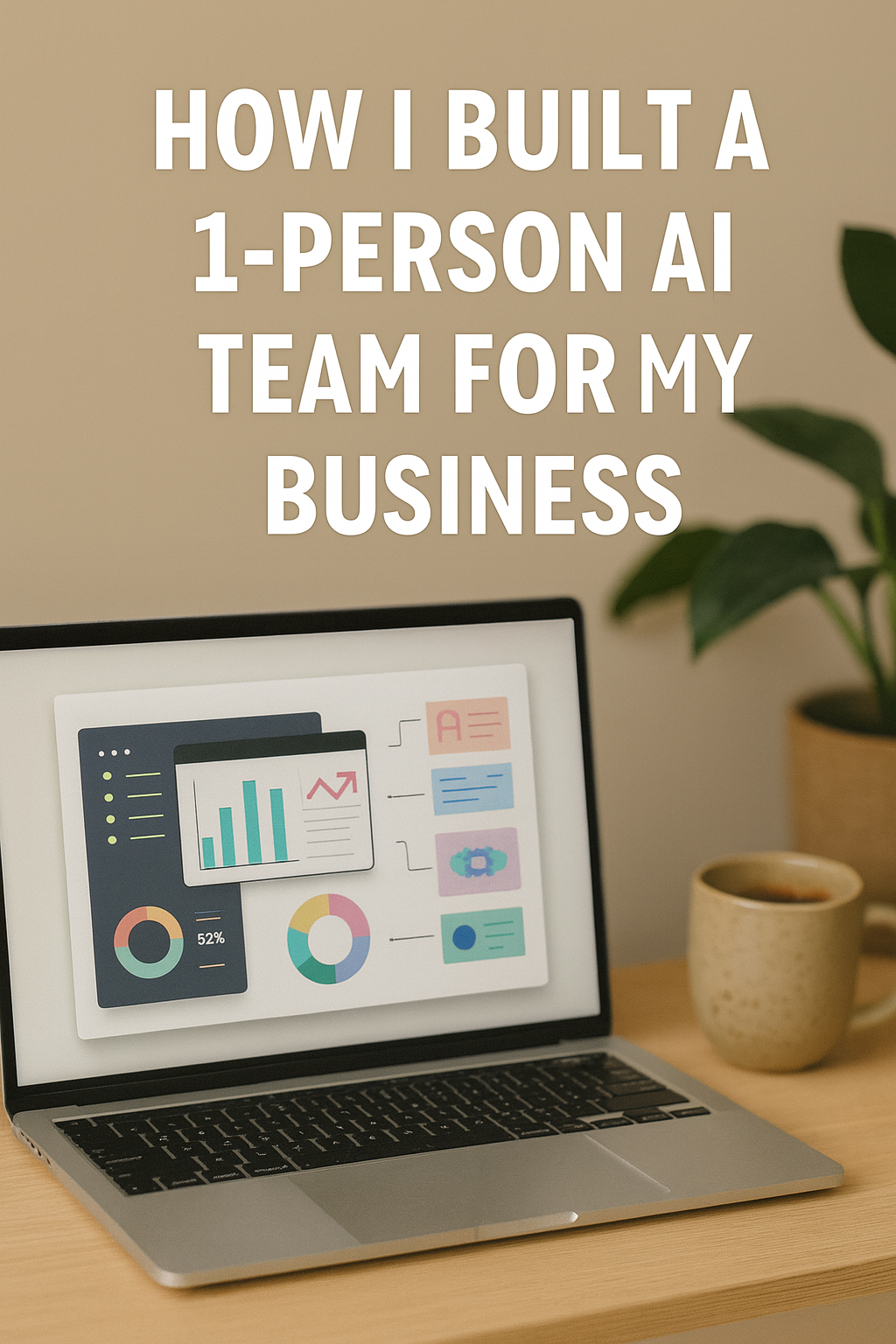
How I Built a 1-Person AI Team for My Business

In today’s fast-paced world, running a business solo doesn’t mean doing everything alone anymore. Thanks to AI, I’ve effectively created a digital “team” of assistants—automating tasks, improving productivity, and scaling faster than I imagined. Here’s how I built my 1-person AI-powered business team, and how you can too.


1. Identifying the Right Roles to Automate

Before picking tools, I listed every repetitive or time-consuming task I was doing daily:

  • Inbox & calendar management
  • Social media scheduling
  • Blog content creation
  • Customer support queries
  • Basic data entry & invoicing

These became the “job roles” I wanted to fill with AI.


2. Choosing AI Tools That Felt Like Team Members

Here are the tools I assigned to each “role”:

  • Content Writer: ChatGPT, Jasper AI
    For blog writing, email templates, product descriptions.
  • Designer: Canva Pro + Magic Design / Leonardo AI
    To create social posts, lead magnets, Pinterest pins.
  • Scheduler: Buffer or Metricool
    For auto-posting across Instagram, Pinterest, LinkedIn.
  • Inbox Assistant: Google Workspace + AI email categorization tools
    Sorts client emails, flags priorities, suggests responses.
  • Customer Support: Tidio or Chatbase (custom GPT bot)
    Auto-replies for FAQs and product-related queries.
  • Accounting Clerk: QuickBooks + AI invoice & receipt scanning
    Generates monthly reports, automates invoicing, tracks payments.

3. Integrating Workflow for Seamless Collaboration

I used Zapier and Notion AI to create a connected workspace:

  • Zapier connects my form submissions → sends automated email → adds lead to CRM.
  • Notion AI summarizes meetings, tracks project progress, and reminds me of deadlines.

Now all my AI “team members” talk to each other in a single system—just like a real team.


4. Tracking ROI & Efficiency

Every month I evaluate:

  • Hours saved
  • Revenue generated via AI efforts
  • Costs of tools vs manual labor alternative

So far? I’ve saved 25+ hours a week, reduced outsourcing by 90%, and reinvested that time into strategy and scaling.


5. The Unexpected Perks

  • 24/7 availability—my “team” never sleeps.
  • No sick leaves, no management headaches.
  • Zero learning curve after setup.

The best part? I feel empowered—not overwhelmed—running my business solo.


Final Thoughts

If you’re a solopreneur or freelancer, building a 1-person AI team isn’t just possible—it’s the smartest way to grow in 2025. Focus on high-leverage activities and let AI handle the busywork

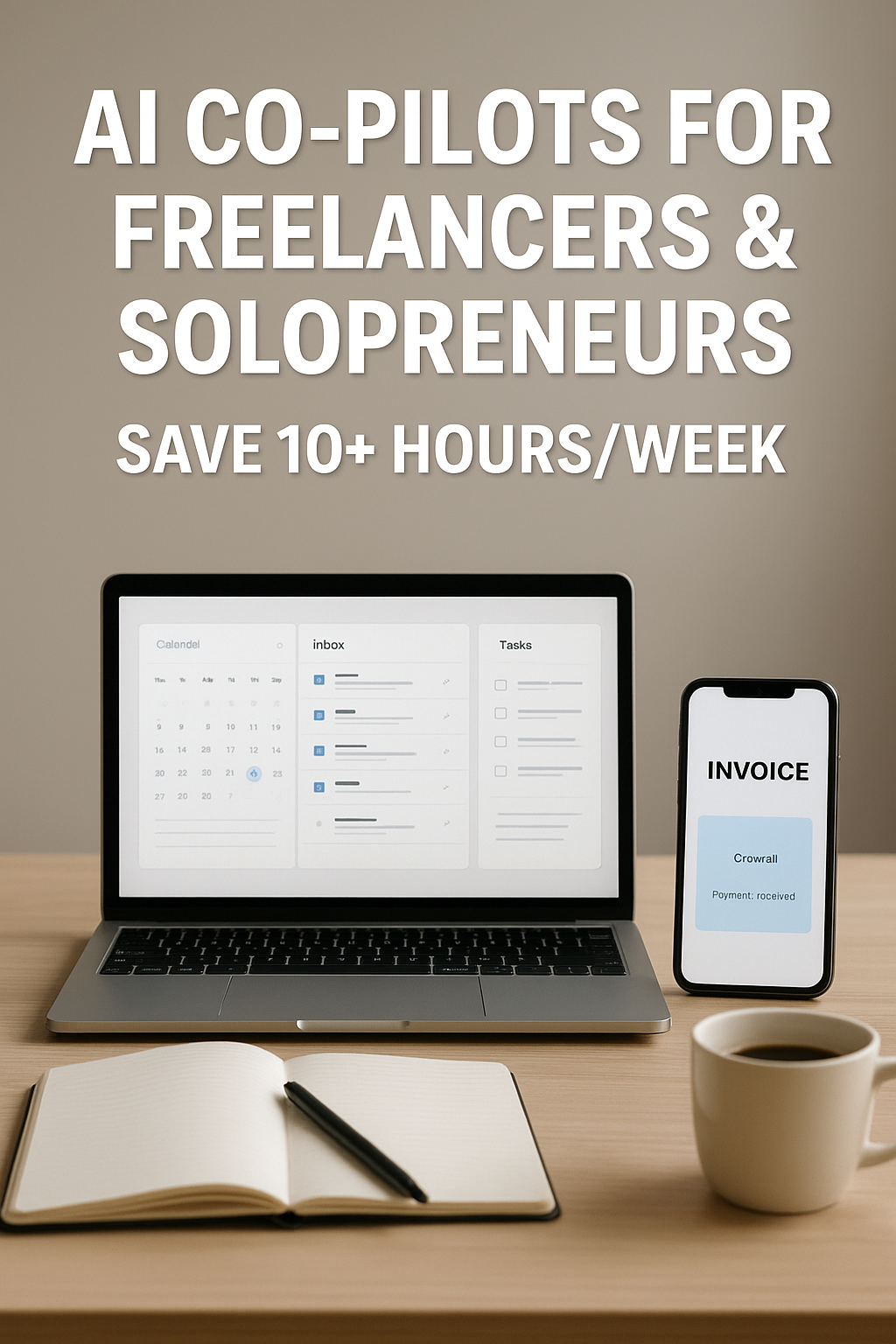
AI Co-Pilots for Freelancers & Solopreneurs: Your Secret Weapon for Smarter Workflows

As a freelancer or solopreneur, you’re juggling everything—from marketing and admin to client work and business growth. The rise of AI co-pilots offers you a smarter, faster, and more efficient way to run your solo empire.

In this post, we’ll explore how AI co-pilots are transforming the solo work experience and which ones can help you save time, boost creativity, and increase earnings.

What is an AI Co-Pilot?

An AI co-pilot is an AI-powered tool or assistant that supports you with specific tasks—whether it’s writing emails, organizing your schedule, managing projects, or analyzing data. Think of it as your virtual sidekick that works 24/7 without burnout.


Why Freelancers & Solopreneurs Need AI Co-Pilots

  • Time-saving: Automate repetitive tasks like proposals, contracts, invoices, and follow-ups.
  • Cost-effective: No need to hire a full team. AI tools offer productivity at a fraction of the cost.
  • Scalability: Focus on growing your business while the AI handles the backend.
  • Creativity boost: Let AI help with brainstorming, content creation, and idea generation.

6 Must-Have AI Co-Pilots for Freelancers

1. ChatGPT / Claude

  • Use for: Email writing, client responses, blog drafts, creative brainstorming
  • Why it helps: Saves hours by generating human-like copy in seconds.

2. Notion AI

  • Use for: Organizing your business, managing content calendars, automating notes
  • Why it helps: Combines your workspace with smart writing and summarizing tools.

3. Trello + Butler Automation

  • Use for: Project & task management with AI-powered automation
  • Why it helps: Auto-assigns, schedules, and tracks your tasks like a real assistant.

4. Copy.ai / Jasper

  • Use for: Social media content, product descriptions, landing pages
  • Why it helps: Create scroll-stopping content for clients or your own business.

5. Pictory / Lumen5

  • Use for: Turn blogs or scripts into videos automatically
  • Why it helps: Great for content creators who want to repurpose and grow fast.

6. Toggl Track + AI Insights

  • Use for: Time tracking + productivity analysis
  • Why it helps: Know where your hours go and how to bill clients better.

Real-Life Use Case

Meet Lisa, a solopreneur selling handmade jewelry online. She uses:

  • ChatGPT to write her product descriptions and email campaigns
  • Canva Magic Studio to generate visual ads
  • Notion AI to manage orders and customer messages

With AI co-pilots, she cut her weekly workload by 12 hours and doubled her output.


Tips to Maximize AI Co-Pilots

  1. Start with one tool at a time to avoid overwhelm.
  2. Use AI for drafts, but always add your personal voice.
  3. Regularly update prompts and workflows for better results.
  4. Choose tools that integrate well with your daily platforms (Google Docs, Slack, etc.).

Final Thoughts

AI co-pilots are not replacing freelancers—they’re empowering them. With the right tools, you can reclaim your time, increase your income, and enjoy more creative freedom.

Start experimenting with one AI co-pilot today and watch your solo business level up.

AI Tools That Save You 10+ Hours a Week at Work

Introduction

Time is the most valuable resource in today’s workplace. Whether you’re an entrepreneur, freelancer, or employee, repetitive tasks can eat up hours every week. The good news? Artificial Intelligence (AI) is no longer futuristic—it’s a practical tool you can use right now. With the right AI tools, you can cut down on repetitive work, boost productivity, and reclaim more than 10 hours every week.

Belo1. AI Writing & Content Creation Tools

Creating emails, reports, or marketing copy can take hours. AI writing assistants help you brainstorm ideas, draft content, and polish text in minutes.

  • Jasper – For marketing copy, blogs, and ads.
  • Grammarly – Beyond grammar, it improves clarity and tone instantly.
  • Copy.ai – Quick social media captions or sales copy.

Time Saved: 2–3 hours per week on drafting and editing.


2. AI Email & Communication Assistants

Managing emails is one of the biggest time drains. AI can summarize, prioritize, and even auto-draft replies.

  • Superhuman – AI-powered inbox for speed and automation.
  • SaneBox – Organizes emails into folders automatically.
  • ChatGPT Email Plugins – Draft quick, customized responses.

Time Saved: 3–5 hours per week on email overload.


3. AI Project Management & Scheduling Tools

Meetings and scheduling often turn into productivity killers. AI can automate planning and keep projects on track.

  • Motion – Auto-plans your day with AI scheduling.
  • Trevor AI – Converts your to-do list into a time-blocked schedule.
  • ClickUp AI – Summarizes tasks, generates action items, and saves time in team workflows.

Time Saved: 2–3 hours per week by removing manual scheduling.


4. AI Research & Data Tools

Instead of spending hours gathering information, AI can do the heavy lifting.

  • Perplexity AI – AI search assistant that gives concise answers with sources.
  • Genei – Summarizes research papers and articles.
  • Notion AI – Generates notes and insights from your documents.

Time Saved: 2–4 hours per week on research.


5. AI Design & Presentation Tools

Designing graphics or slides doesn’t have to be slow.

  • Canva AI (Magic Design) – Creates ready-to-use templates from simple prompts.
  • Beautiful.ai – Automatically formats slide decks.
  • DALL·E & MidJourney – Generate unique images and visuals for content.

Time Saved: 2–3 hours per week on design tasks.


Key Takeaways

  • Start small—pick one AI tool per week to test.
  • Track time saved and see which tools bring the most value.
  • Over a month, these tools can give you back 40+ hours—an entire work week.

Final Thoughts

The workplace is changing, and those who embrace AI will have an edge. Think of AI not as a replacement, but as a digital assistant that clears space for higher-value work. By integrating just a few of these tools into your routine, you’ll save time, reduce stress, and increase productivity.


30+ Small Business Ideas for 2025 You’ll Love

If you’re thinking of starting something on your own this year, you’re not alone. 2025 is shaping up to be a golden year for small businesses. Whether you’re looking for a side hustle or your next full-time gig, this list will spark your creativity — and might just give you the idea that changes everything.

Let’s dive into some of the best small business ideas you can start in 2025 — with low investment, flexible hours, and high potential.


Online Business Ideas

1. Print-on-Demand Store
Design and sell custom t-shirts, mugs, or phone cases without touching inventory.

2. Digital Products
Sell ebooks, planners, presets, templates, or online courses — once created, they generate passive income.

3. Dropshipping Business
Set up a Shopify store and sell trending products without handling shipping or warehousing.

4. Social Media Management
Help small brands grow on Instagram, Pinterest, or LinkedIn.

5. Niche Blogging
Start a blog in a profitable niche (health, finance, parenting, tech) and monetize through ads, affiliate links, and products.


Home-Based Services

6. Virtual Assistant (VA)
Offer admin support to businesses remotely — scheduling, inbox management, and research.

7. Freelance Writing or Copywriting
Businesses need words. If you can write clearly, there’s work for you.

8. Home Baking or Catering
Turn your love of cooking into income — sell from home or cater local events.

9. Handmade Crafts Business
Jewelry, candles, soaps, wall art — platforms like Etsy make it easy to sell.

10. Pet Sitting or Dog Walking
Perfect if you’re an animal lover and want a flexible schedule.


Creative & Tech Skills

11. Graphic Design
Help brands design logos, banners, packaging, or social media posts.

12. Video Editing
Start a YouTube editing service — high in demand as video content dominates.

13. Web Design or Development
If you know HTML, WordPress, or Shopify, you can create beautiful websites for others.

14. Photography Services
Product photography, personal branding shoots, or event coverage.

15. Voiceover Artist or Podcast Editor
A growing niche for those with a good voice or audio skills.


Local Service-Based Ideas

16. Event Planning or Decoration
Plan weddings, birthday parties, and corporate events with style.

17. Personal Fitness Trainer (Online or Offline)
With a certificate and passion for health, you can coach others from home or a rented space.

18. Home Cleaning or Organizing
A booming service with good local demand.

19. Babysitting or Daycare from Home
Perfect for stay-at-home parents who enjoy caring for kids.

20. Gardening or Landscaping Services
Seasonal work with high margins and repeat clients.


Mobile & Trendy Business Ideas

21. Mobile Car Wash or Detailing
No storefront needed — go to your clients and earn on the spot.

22. Food Truck or Cloud Kitchen
Lower startup cost than a restaurant, with strong earning potential.

23. Personal Shopper or Stylist
Help people look and feel good — online or in-person.

24. Local Delivery or Errand Service
Perfect for Tier 2/3 cities where convenience matters.

25. Influencer Management or UGC Creation
Manage micro-influencers or create user-generated content for brands.


Business-to-Business (B2B) Ideas

26. SEO & Digital Marketing Services
Local businesses are finally going digital — and they need visibility.

27. Business Consulting or Coaching
If you’ve been in an industry, guide others starting out.

28. Resume Writing or Career Coaching
Job seekers need polished resumes and LinkedIn profiles in 2025 more than ever.

29. Affiliate Marketing Expert
Help brands grow via affiliate campaigns and influencer outreach.

30. Automation & AI Setup Services
Many businesses want help integrating tools like ChatGPT or Zapier — you could be that bridge.


Bonus Ideas

  • Language Tutor (online/offline)
  • Mobile App Tester
  • NFT & Digital Art Seller
  • Subscription Box Curator
  • Local Tour Guide

Final Thoughts

You don’t need a big budget or a fancy office to start a business in 2025 — just the right idea, consistent effort, and a clear goal.

Start with what you love or know well, then slowly build your brand and income stream. Your “small” idea today could be your full-time success story tomorrow.

So, which idea will you pick to be your own boss this year?


Frequently Asked Questions (FAQ)

Q1. What are the most profitable small businesses in 2025?
A: Online services like digital marketing, virtual assistance, and niche e-commerce continue to be highly profitable due to low startup costs and high demand.

Q2. Can I start a business with no money in 2025?
A: Yes! Options like affiliate marketing, freelancing, or dropshipping require minimal upfront investment.

Q3. What’s the best small business to start from home?
A: Freelance writing, print-on-demand stores, and social media management are great home-based options for 2025.

Q4. How do I know which business idea is right for me?
A: Consider your skills, passions, and how much time or money you can invest. Start small and validate the idea before going all in.


Home-Based Businesses That Boomed in 2025 – And Why They’re Still Growing

Working from home is no longer just a trend – it’s the new normal. In 2025, the home-based business scene exploded, giving thousands of people the chance to ditch long commutes, take control of their schedules, and build something meaningful without ever stepping into a corporate office.

From passionate side hustles to full-scale online empires, these are the home-based businesses that not only survived but thrived in 2025. If you’ve been dreaming of starting your own, these real-world examples might just spark your next big idea.


1. E-Commerce & Online Stores

2025 saw a massive surge in small, niche online shops. From handmade jewelry to eco-friendly home goods, entrepreneurs leveraged platforms like Shopify, Etsy, and even Instagram Shops to sell products worldwide.

  • Why it worked: People craved unique, personalized products instead of mass-produced goods.
  • Getting started tip: Focus on one specific niche you truly care about – it’s easier to market and build a loyal audience.

2. Freelance Creative Services

Graphic designers, copywriters, video editors, and social media managers found a sweet spot working from home with global clients. With AI handling repetitive tasks, creatives could focus on strategy, storytelling, and design quality.

  • Why it worked: Brands needed authentic, human creativity to stand out in a sea of AI-generated content.
  • Getting started tip: Build a portfolio on Behance or your own website and offer your first few projects at discounted rates to build credibility.

3. Online Coaching & Courses

Whether it was career coaching, fitness training, or teaching digital skills, online education thrived. Platforms like Zoom, Kajabi, and Teachable made it easier than ever to host sessions and sell courses.

  • Why it worked: People wanted flexible learning without commuting or committing to rigid schedules.
  • Getting started tip: Start small with a free workshop, then build paid offerings once you’ve proven demand.

4. Subscription Boxes & Curated Goods

From monthly self-care kits to curated snacks, subscription boxes became a stay-at-home favorite. Many entrepreneurs started in their kitchens or garages and scaled up quickly.

  • Why it worked: Customers love the surprise and convenience of getting something special delivered each month.
  • Getting started tip: Keep your theme clear and your branding consistent – that’s what makes boxes collectible.

5. Content Creation & Influencer Brands

TikTok, YouTube, and Instagram Reels made it possible for everyday people to turn their personality and skills into income. Creators who stayed authentic built loyal audiences that brands wanted to collaborate with.

  • Why it worked: Short, engaging, relatable content connected with audiences better than traditional ads.
  • Getting started tip: Pick one platform to master first – consistency matters more than perfection.

Final Thoughts

The biggest lesson from 2025? You don’t need a big office, huge team, or complicated setup to start a successful business. You just need the right idea, the courage to start, and the persistence to keep going when things get tough.

If you’ve been waiting for the perfect time to start your own home-based business, you’re already in it. The tools are here, the market is ready – now it’s your turn to make the leap.

Be Your Own Boss This Year — Here’s How

Imagine waking up on your own terms, setting your own schedule, and building something that’s 100% yours. No boss. No clocking in. Just you, your passion, and the freedom to live life on your terms.

If that sounds like a dream, you’re not alone. More people than ever are stepping away from traditional 9-to-5 jobs and choosing to be their own boss — and you can too.

Let’s break down exactly how to make it happen this year.


Start With the Right Mindset

Becoming your own boss isn’t just about what you do, it’s about how you think. You need to believe in your ability to solve problems, take risks, and keep going when things get tough.

  • Replace “I can’t” with “How can I?”
  • View mistakes as lessons, not failures.
  • Stay curious. Keep learning.

Your mindset is the foundation. Build it strong.


Find What You’re Good At (And What People Need)

The sweet spot lies where your skills meet market demand. Ask yourself:

  • What do people often ask me for help with?
  • What do I enjoy doing that I could offer as a service or product?
  • Is there something I’ve overcome that others are still struggling with?

Here are a few beginner-friendly ideas:

  • Freelance design or writing
  • Tutoring or online coaching
  • Selling handmade products
  • Starting a YouTube or podcast channel
  • Offering digital marketing services
  • Dropshipping or affiliate marketing

The key is to start simple. Don’t wait for perfect — just get going.


Learn, But Don’t Get Stuck in Learning Mode

It’s tempting to watch every tutorial and read every blog. But knowledge without action is just procrastination.

Pick one thing. Learn just enough to take your first step. Then improve as you go.

Pro tip: Commit to “learning while doing.” Set a 30-minute learning block, then immediately apply it.


Build Your Personal Brand

You don’t need a massive following — but you do need an identity people can trust.

  • Choose a name for your business or service
  • Create a simple logo (Canva is your friend)
  • Make a basic Instagram page, LinkedIn profile, or website
  • Share your story — people connect with humans, not companies

Be visible. Be real. Let people see who you are and how you can help.


Use the Tools of the Trade

Here are a few beginner-friendly tools to help you work smarter:

  • Canva – for design
  • Notion or Trello – for organizing tasks
  • Stripe/PayPal/UPI – for collecting payments
  • ChatGPT – for ideas, content help, and brainstorming
  • Instagram, Pinterest, WhatsApp Business – for reaching people

Start Before You Feel Ready

Spoiler alert: You’ll never feel 100% ready. You’ll always wish you had one more course, one more design, or one more idea.

But progress comes from action, not perfection.

Take one messy step. Talk to one potential client. Post one offer online. And keep moving.


Ask for Feedback. Improve Fast.

You’re not building in a vacuum. Ask your friends, early customers, or even strangers:

  • “What did you love?”
  • “What could I improve?”
  • “Would you recommend me to someone?”

Use their answers to tweak and refine your offer.


Don’t Wait for Big Profits — Build Slowly

In the beginning, it’s more important to build trust and get experience than to make big money.

Yes, money will come. But treat your first few clients like gold. Overdeliver. Collect testimonials. Let your reputation grow organically.

Over time, you can raise your rates and scale with confidence.


Final Thoughts: You’ve Got This

Becoming your own boss isn’t easy — but it’s worth it. The freedom, creativity, and purpose you’ll find are unmatched.

So if you’ve been waiting for a sign to start your journey… this is it.

Take the leap. Start small. Learn as you go. And most importantly — believe that you can build something incredible this year.

Because you can. And you will.

Make Money as a Teen Without a 9–5 Job

Being a teenager today comes with endless opportunities to earn money without waiting to turn 18 or getting locked into a 9–5 job. Whether you’re saving for college, wanting extra cash for hobbies, or aiming to learn financial independence early, you can start right now — all from home or your local area.


1. Why You Don’t Need a 9–5 Job

A traditional office job isn’t the only way to make money anymore. With social media, online platforms, and flexible freelance opportunities, you can:

  • Work on your own schedule
  • Earn money doing what you love
  • Develop real-world skills before adulthood

2. Online Opportunities for Teens

a) Freelance Skills

If you have skills like graphic design, video editing, or writing, start on platforms like Fiverr or Upwork. Even basic skills can get you paid gigs.

  • Example: Designing Instagram posts for small businesses
  • Earning Potential: ₹5,000–₹20,000/month (part-time)

b) Content Creation

Start a YouTube channel, podcast, or TikTok profile. Monetize with ads, sponsorships, and affiliate links.

  • Pro Tip: Focus on a niche you love — gaming, DIY crafts, fitness, or study tips.

c) Selling Digital Products

Create and sell templates, e-books, or stock photos on platforms like Etsy or Gumroad.


3. Local & Offline Ways to Earn

a) Tutoring

If you’re strong in a subject, offer tutoring for younger students in your neighborhood.

  • Tools: Zoom, Google Meet, or in-person at libraries.

b) Pet Sitting or Dog Walking

Busy pet owners are always looking for reliable help.

c) Yard Work & Odd Jobs

Help neighbors with lawn mowing, car washing, or small repairs.


4. How to Start With Zero Experience

  1. Pick 1–2 ideas from above that interest you most.
  2. Create a small portfolio or sample work (even for free at first).
  3. Promote yourself on social media and local WhatsApp groups.
  4. Stay consistent — clients will come.

5. Tips to Succeed

  • Learn as You Earn: Use free resources like YouTube and Skillshare to upgrade your skills.
  • Track Earnings: Keep a simple spreadsheet to manage your money.
  • Stay Safe Online: Never share personal details without verifying clients.

Final Thought:
You’re not “too young” to make money — you just need to be resourceful. Start small, build skills, and by the time your peers are just starting their first jobs, you’ll already have experience and savings.