Minimalist home office setup showing Pinterest analytics growth on laptop screen representing $3,000 per month passive income strategy.

The dream of earning a passive income without ever stepping in front of a camera is no longer just a pipe dream. Recently, a creator made waves by documenting her journey of hitting $3,000 per month on Pinterest—all while remaining completely anonymous.

Pinterest isn’t just a place for wedding inspiration or sourdough recipes; it is a high-intent visual search engine. Unlike Instagram, where users follow people, Pinterest users follow interests. This makes it the perfect playground for faceless content creators to build a digital empire.

In this guide, we will break down the exact framework used to generate these results, from choosing the right profitable niche to building a high-converting blog funnel using simple AI tools.

1. High-Converting Faceless Niches

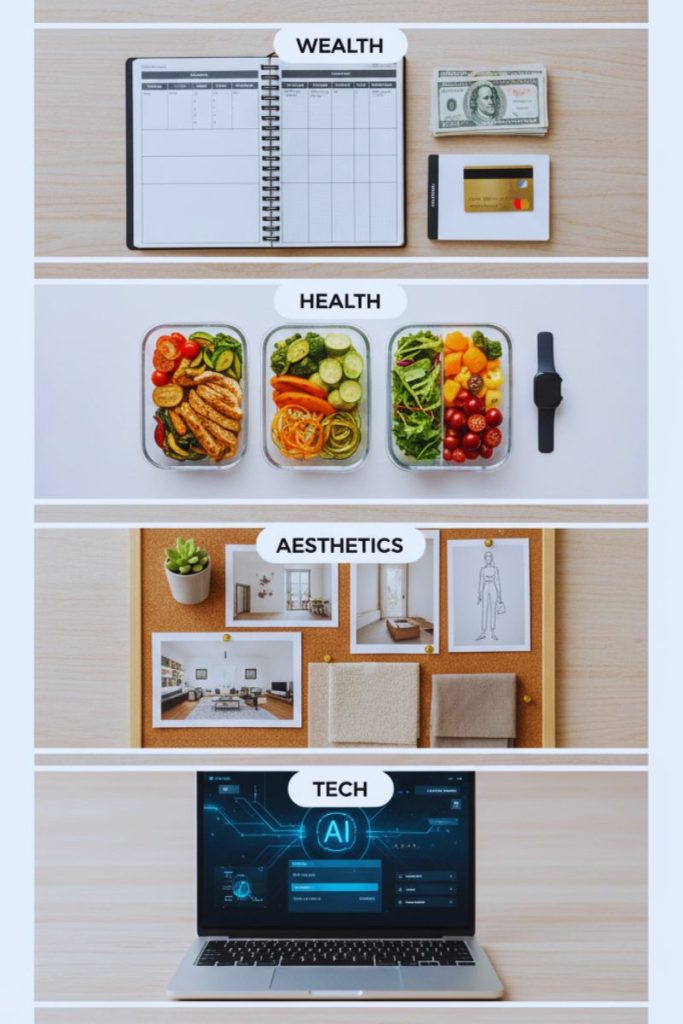
4 High-Converting Pinterest Niches That Actually Make Money

To make money on Pinterest, you need to go where the money is already flowing. You don’t need a “personal brand” to dominate these categories; you just need high-quality visuals and helpful information.

The “Wealth” Niche

People are constantly searching for ways to save, invest, or make money.

  • Budgeting printables and debt payoff trackers.
  • Side hustle ideas for students or stay-at-home parents.
  • Cryptocurrency guides or stock market basics for beginners.

The “Health & Wellness” Niche

This is a perennial favorite on the platform.

  • Keto recipes or meal prep plans.
  • Mental health journals and self-care routines.
  • Home workout challenges that don’t require expensive equipment.

The “Aesthetics & Lifestyle” Niche

Pinterest is a visual-first platform, making this niche highly viral.

  • Home decor transitions and DIY room makeovers.
  • Outfit mood boards and capsule wardrobe planning.
  • Organizing tips and “Clean Girl” aesthetic checklists.

The “Tech & AI” Niche

With the explosion of AI technology, users are searching for tools to make their lives easier.

  • ChatGPT prompts for productivity.
  • AI art tutorials and digital design tips.
  • Automating your workflow with simple software solutions.

2. The Power of Affiliate Links

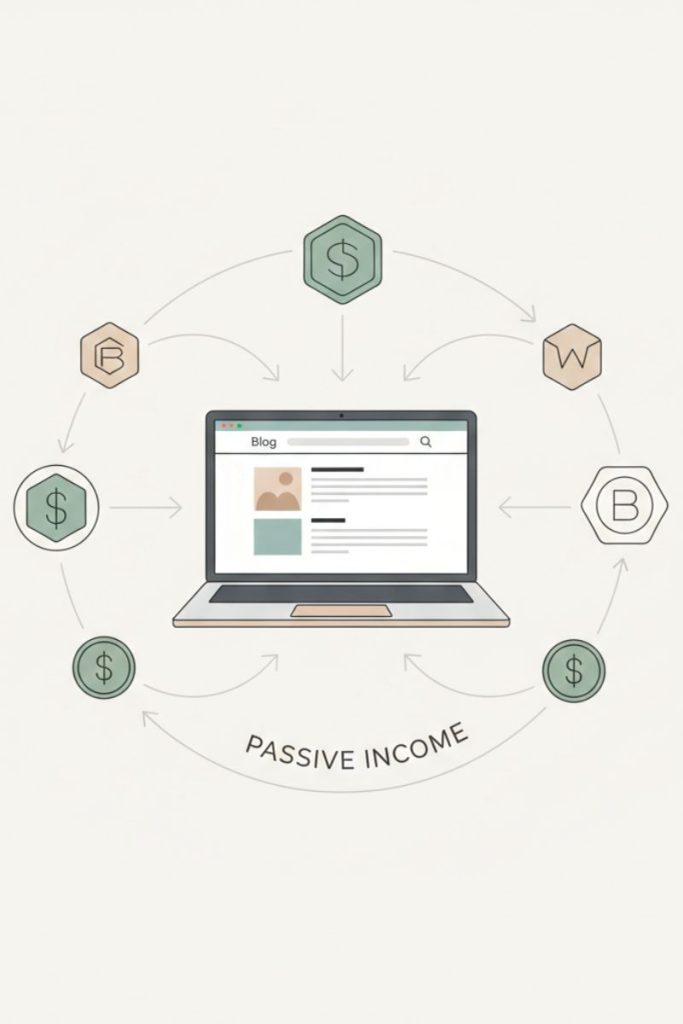
Illustration showing affiliate marketing process where blog traffic converts into commission income.
How Affiliate Links Turn Pinterest Traffic into $3,000/Month

The secret sauce to that $3,000 paycheck is Affiliate Marketing. Instead of creating your own products (which takes time), you promote existing products and earn a commission.

Choosing the Right Programs

Look for high-ticket affiliate programs or those with recurring commissions. Common choices include:

  • Amazon Associates: Great for physical goods and home decor.
  • ShareASale & CJ Affiliate: Massive marketplaces for various brands.
  • Software Affiliates: These often offer 30% to 50% recurring monthly commissions.

The “Golden Rule” of Linking

Pinterest has a love-hate relationship with direct affiliate links. To stay safe and maximize your conversion rate, never link directly from a Pin to a sales page. Instead, use a bridge page or a blog post. This adds value, builds trust, and prevents your account from being flagged as spam.

3. The Blog Funnel Setup: Your 24/7 Salesperson

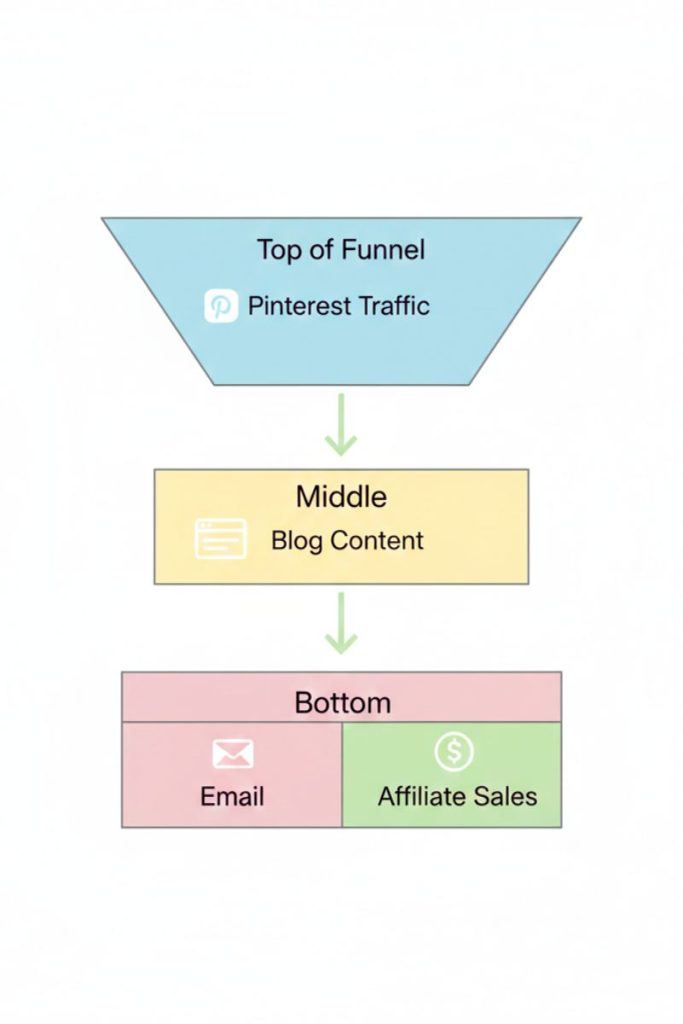
Marketing funnel infographic showing Pinterest traffic flowing into blog content and converting into email subscribers and affiliate income.
Turn Pinterest Traffic into Passive Income with This Simple Blog Funnel

To reach $3,000, you need a system that works while you sleep. This is where the Blog Funnel comes in. Think of Pinterest as the “Top of the Funnel” (Traffic) and your blog as the “Bottom of the Funnel” (Conversion).

Step 1: The Magnetic Pin

You create a high-quality Pin in Canva that addresses a specific pain point (e.g., “How to Save $1,000 in 30 Days”).

Step 2: The Educational Blog Post

When the user clicks the Pin, they arrive at a 1,000-word article on your site. This article provides genuine value but also naturally weaves in your affiliate links.

Step 3: The Email Opt-in

Inside the blog post, offer a “Freebie” (like a PDF checklist) in exchange for their email address. Now, even if they don’t buy today, you can market to them via an automated email sequence forever. This is how you build a long-term digital business.

4. Simple AI Tools for Content Creation

Laptop workspace showing AI tools used for writing, designing, and generating content for Pinterest marketing.
Use AI Tools to Create 30 Days of Pinterest Content in One Weekend

Efficiency is the difference between a hobby and a business. Use these AI tools to do 90% of the heavy lifting.

ChatGPT (The Brain)

Use this for keyword research, generating catchy Pin titles, and drafting entire blog posts. Simply ask: “Give me 10 viral Pinterest titles for a blog post about minimalist living.”

Canva & Bulk Create (The Designer)

You don’t need to be a graphic designer. Use Canva’s templates. You can even use their Bulk Create feature to turn a CSV file of tips into 50 different Pins in under five minutes.

Midjourney or DALL-E (The Photographer)

Since you aren’t showing your face, you need high-quality stock imagery. AI image generators can create unique, high-definition photos for your Pinterest Marketing strategy that no one else is using.

Pinterest Trends (The Compass)

This is a free tool provided by Pinterest. It tells you exactly what people are searching for right now. Use it to stay ahead of the curve and create content that is virtually guaranteed to get organic reach.

5. The Realistic 60-Day Roadmap

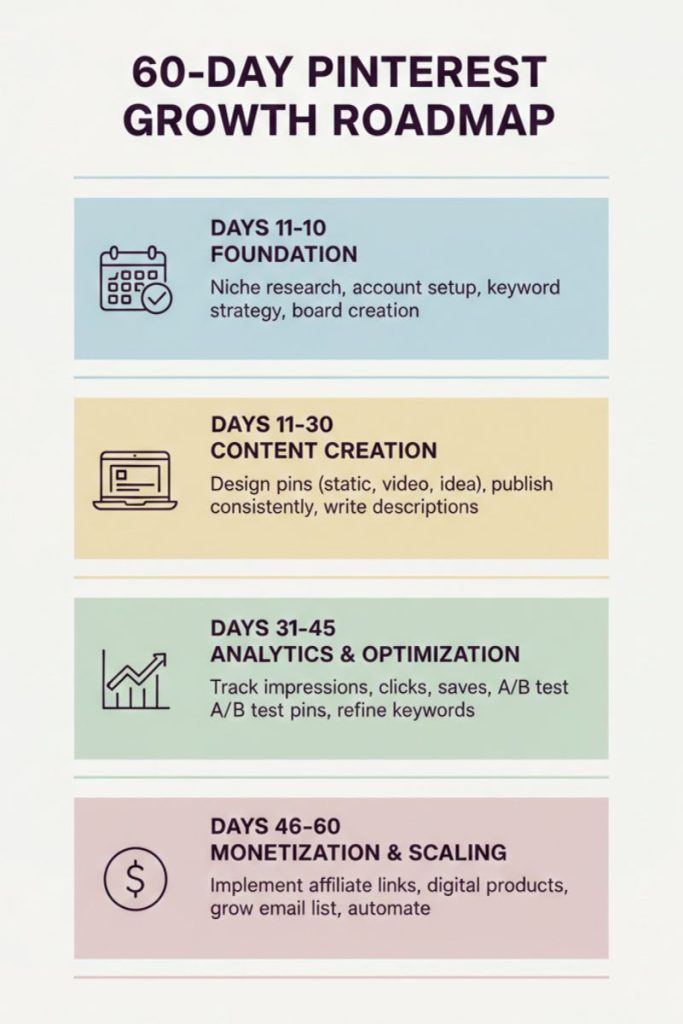
Vertical infographic showing a structured 60-day roadmap for growing Pinterest traffic, affiliate income, and email subscribers.
The Exact 60-Day Plan to Reach $3,000/Month on Pinterest (Step-by-Step)

Don’t expect $3,000 overnight. Pinterest is a “slow burn” platform that rewards consistency. Here is your step-by-step plan.

  • Days 1–10: The Foundation
  1. Niche Research: Pick one niche and stick to it.
  2. Setup: Create a Pinterest Business account and a simple WordPress or Ghost blog.
  3. SEO Setup: Optimize your Pinterest profile with target keywords in your bio and board titles.
  • Days 11–30: The Content Blitz
  1. Create 5–10 Pillar Blog Posts: These should be deep dives into your niche.
  2. Pinning Schedule: Start pinning 3–5 high-quality Pins per day.
  3. Automation: Use a tool like Tailwind to schedule your Pins so you don’t have to be online 24/7.
  • Days 31–45: Analyzing & Pivoting
  1. Check Analytics: See which Pins are getting the most “Outbound Clicks.”
  2. Double Down: Create 10 more Pins for your best-performing blog post.
  3. Split Testing: Try different colors, fonts, and call-to-actions (CTAs) on your Pins.
  • Days 46–60: Monetization & Scaling
  1. Affiliate Optimization: Replace low-performing links with better offers.
  2. Email Marketing: Set up your first 5-day automated email sequence to welcome new subscribers.
  3. Growth: Look into “Idea Pins” (now integrated into standard Pins) to boost your brand awareness and follower count.

Why Faceless Pinterest is the Best Side Hustle

The beauty of this model is the low barrier to entry. You don’t need a fancy camera, you don’t need to spend thousands on ads, and you certainly don’t need to be an extrovert.

By focusing on SEO optimization, high-quality visuals, and a solid funnel, you are building a digital asset. Unlike a TikTok video that dies after 24 hours, a Pin can continue to drive traffic and sales to your blog for years.

Success on Pinterest is about patience and data. If you provide the solution to a problem someone is searching for, the money will naturally follow.

The Bottom Line

Generating $3,000 on Pinterest faceless is about working smarter, not harder. Use AI content creation to scale your output and focus on niches with high commercial intent.


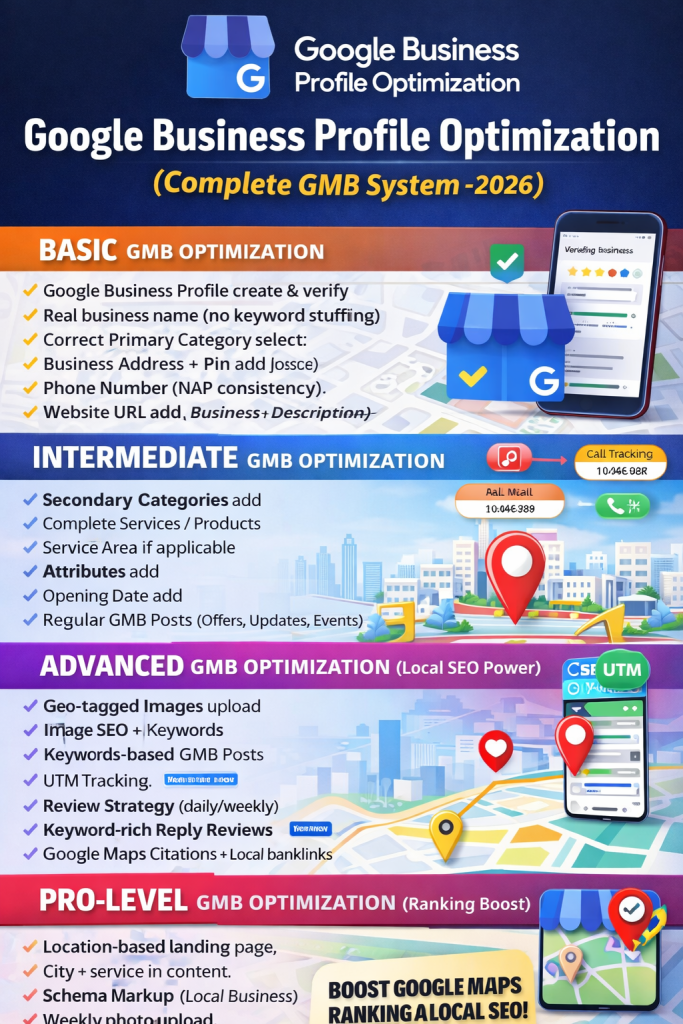
Google Business Profile Optimization Guide

Google Business Profile (formerly Google My Business) is the backbone of Local SEO.
If your business is not optimized properly, you will never rank in the Google Map Pack, no matter how good your website is.

This guide breaks down BASIC → INTERMEDIATE → ADVANCED → PRO-LEVEL GMB Optimization, exactly how top-ranking local businesses do it in 2026.


BASIC Google Business Profile Optimization (Foundation Setup)

This step builds your trust base. Never skip it.

1. Create & Verify Google Business Profile

  • Create a Google Business Profile
  • Verify via postcard, phone, or email
  • One business = one profile = one location

2. Business Name (NAP Accuracy)

  • Use real business name only
  • Keep it consistent everywhere
  • No keyword stuffing
    ❌ “Best Dental Clinic in Mohali”
    ✅ “Sharma Dental Clinic”

3. Select Correct Primary Category

  • Most important ranking factor
  • Choose one closest main category
  • Example: Dentist, Restaurant, Solar Energy Company

4. Business Address & Map Pin

  • Exact address required
  • Pin location must match the real place
  • Avoid virtual offices

5. Phone Number (NAP Consistency)

  • Same phone number on:
    • GMB
    • Website
    • Directories
  • Avoid multiple numbers

6. Website URL

  • Add your official website
  • Prefer location-based landing page

7. Business Hours

  • Set correct working hours
  • Update special hours if needed

8. Business Description (750 Characters)

  • Add keywords naturally
  • Mention services + city
  • Avoid spammy language

9. Upload Photos

  • Profile Photo (logo)
  • Business Logo
  • Cover Photo (high quality)

INTERMEDIATE GMB Optimization (Visibility Boost)

This step improves relevance + engagement.

1. Add Secondary Categories

  • Add related services
  • Example:
    Dentist → Cosmetic Dentist, Dental Clinic

2. Complete Services / Products Section

  • Add each service separately
  • Use keyword-rich descriptions

3. Service Area Setup (If Applicable)

  • Add nearby cities
  • Useful for service-based businesses

4. Add Attributes

  • Wi-Fi
  • Online Appointments
  • Payment Modes
  • Accessibility options

5. Opening Date

  • Adds trust signal
  • Helps Google understand business age

6. Regular GMB Posts (Weekly)

  • Offers
  • Updates
  • Events
  • Use images + CTA

7. Enable Messaging

  • Increases conversions
  • Google prefers active profiles

8. Call Tracking (Smart Setup)

  • Real number on GMB
  • Tracking number on website
  • Never replace GMB number with tracking

ADVANCED GMB Optimization (Local SEO Power)

This is where Map Pack rankings start moving.

1. Upload Geo-Tagged Images

  • Images tagged with:
    • City
    • Service keywords
  • Upload regularly

2. Image SEO

  • Rename files before upload
    Example:
    best-dentist-mohali-clinic.jpg

3. Keyword-Based GMB Posts

  • City + Service keywords
  • Example:
    “Best Dental Implant Clinic in Mohali”

4. UTM Tracking

  • Track traffic from GMB
  • Measure calls, visits, clicks

5. Review Strategy

  • Ask for reviews daily/weekly
  • Real customers only

6. Keyword-Rich Review Replies

  • Reply to every review
  • Mention city + service naturally

7. Google Maps Citations

  • Build citations on:
    • Business directories
    • Maps platforms
  • Improves authority

8. Local Backlinks

  • Local news sites
  • Blogs
  • City directories

9. Analyze Business Profile Insights

  • Calls
  • Directions
  • Website clicks
  • Improve based on data

10. NAP Consistency Everywhere

  • Website
  • Social media
  • Directories
  • Maps listings

PRO-LEVEL GMB Optimization (Ranking Acceleration)

Used by top 3 Map Pack businesses.

1. Location-Based Landing Pages

  • One page per city
  • Connect it with GMB

2. Content Alignment

  • Website content = GMB services
  • City + service keyword matching

3. Schema Markup

  • Local Business Schema
  • Helps Google understand your business

4. Weekly Photo Upload

  • Freshness factor matters
  • Google favors active profiles

5. Post CTA Optimization

  • Call Now
  • Book Appointment
  • Order Online

6. Holiday Hours Update

  • Prevents profile issues
  • Improves trust

7. Suspension Risk Check

  • Follow Google policies
  • Avoid fake addresses & spam

8. Map Pack Tracking Tools

  • Track rankings by location
  • Tools like Localo help

BONUS Tips (High-Ranking Secrets)

  • Ask customers to mention city + service in reviews
  • Never use fake reviews
  • One profile = one physical location
  • Don’t add extra keywords in business name
  • Weekly activity is mandatory

Final Thought

Google Business Profile ranking is not magic.
It’s consistency + optimization + trust.

If you follow this step-by-step GMB system, your business can dominate Google Maps, Local Search, and Nearby Results in 2026.


Google Discover has completely changed how websites get traffic. Unlike traditional SEO, Discover does not depend on keywords alone. It pushes content based on user interests, trends, freshness, authority, and trust.

If you want massive Discover traffic in 2026, you need a different system. Below is a complete, practical, step-by-step Google Discover strategy used by high-traffic publishers.


Step 1: Use Expired Domains for Faster Google Discover Entry

Using an expired domain with existing authority can dramatically reduce the time required to appear on Google Discover. These domains already have backlinks, trust signals, and indexing history.

Best Platforms to Find Expired Domains

  • ExpiredDomains.net
  • GoDaddy Auctions
  • Namecheap Auctions
  • SpamZilla
  • Odys Global

Key Metrics to Check Before Buying

Domain Authority (DA):

  • Minimum: 20+
  • Ideal: 30–50+

Page Authority (PA):

  • Minimum: 25+

Backlinks:

  • At least 100+ backlinks
  • Preference: news websites, blogs, authority sites

Spam Score:

  • Ideal: 1%–5%
  • Avoid anything above 10%

Domain History Check:

  • Always check on archive.org
  • Avoid domains previously used for casino, adult, crypto spam, or PBNs
  • Clean history is non-negotiable

Step 2: Choose a Google Discover-Friendly Niche

Not every niche works on Discover. Google Discover promotes interest-based and trend-driven content, not static business pages.

Best Niches for Google Discover in 2026

  • News & Breaking Updates
  • Technology & AI
  • Health & Wellness
  • Finance & Economy
  • Bollywood & Entertainment
  • Cricket & Sports
  • Government Schemes
  • Gadgets & Product Launches
  • Education Updates
  • Viral & Trending Topics

Avoid These Niches

  • Static company websites
  • Local service pages
  • Low-interest evergreen topics

Step 3: Find Trending Topics (This Is the Core)

Google Discover runs almost entirely on trends. If your content isn’t trending, Discover won’t push it.

Best Tools for Trending Topic Research

Google Trends

  • Visit trends.google.com
  • Focus on Daily Trends
  • Filter by country and category

Google News

  • Check latest breaking news
  • Cover updates quickly with original angles

Google Discover Feed Analysis

  • Scroll your mobile Discover feed daily
  • Identify repeated topics
  • Publish a better version of those articles

Twitter (X) Trending

  • Use trending hashtags and news topics

YouTube Trending

  • Convert trending videos into articles with added insights

Step 4: Technical Website Setup for Discover

Google Discover prefers fast, clean, mobile-first websites.

Essential Technical Requirements

Fast Hosting

  • Load time under 2 seconds
  • Recommended: Hostinger, Cloudways, DigitalOcean

Mobile Optimization

  • 90% Discover traffic comes from mobile
  • Responsive design is mandatory

Clean & Lightweight Theme

  • GeneratePress
  • Astra
  • Newspaper Theme

SSL Certificate

  • HTTPS is compulsory

Step 5: Publish High-Quality Content at Scale

Discover rewards fresh and frequent publishing, especially on trending topics.

Daily Publishing Target

  • Minimum: 8–10 articles per day

Why it works:
Google Discover boosts active publishers consistently pushing fresh content.

Ideal Article Length

  • Minimum: 600 words
  • Best performing: 800–1000 words

Recommended Article Structure

  • Strong, emotional headline
  • Short introduction
  • Main information
  • Latest updates
  • Clear conclusion

Example Title:
New AI Tool Launch 2026: This Tool Can Make Your Work 10X Faster


Step 6: Image Optimization (Critical for Discover)

Images are one of the biggest ranking triggers in Google Discover.

Image Requirements

  • Minimum width: 1200px
  • Best size: 1200 × 675
  • Aspect ratio: 16:9
  • Format: JPG or WebP
  • High-resolution only

Copyright-Free Image Sources

  • Unsplash
  • Pexels
  • Freepik

Always use eye-catching, relevant, and sharp images.


Step 7: Write High-CTR Headlines

Google Discover heavily favors click-worthy titles.

Weak Title

AI Tool Launched

Strong Title

New AI Tool Launch 2026: This AI Can Replace 10 Tools Instantly

Title Optimization Tips

  • Use numbers
  • Use power words
  • Add curiosity
  • Add emotional triggers

Step 8: Speed Up Indexing

After publishing each article:

  • Submit URL in Google Search Console
  • Share on Twitter (X)
  • Share on Facebook
  • Optional: Telegram or WhatsApp channels

Fast indexing improves Discover visibility.


Step 9: Build Website Trust Signals

Trust matters more than ever in Discover.

Must-Have Pages

  • About Us
  • Contact Us
  • Privacy Policy
  • Disclaimer

These pages help Google verify legitimacy and credibility.


Step 10: Consistency Is the Real Secret

Most people fail because they stop too early.

Ideal Daily Routine

  • Publish 8–10 trending articles
  • Use high-quality images
  • Maintain the same niche
  • Repeat for at least 30–60 days

Google Discover Ranking Formula (Advanced)

Discover Ranking =
Expired Domain Authority

  • Trending Topics
  • Daily Publishing (8–10 posts)
  • High-Quality Images (1200px)
  • Fast Website Speed
  • High-CTR Titles
  • Long-Term Consistency

Expected Results Timeline

Day 1–7:
Articles start indexing

Day 7–30:
Discover impressions appear

Day 30–60:
Traffic growth begins

Day 60–90:
Potential for massive Discover traffic


Pro Tips for Advanced Growth

  • Mix AI drafting with human editing
  • Stay focused on one niche
  • Track Discover performance in Search Console
  • Cover trends daily without missing updates